Pick the seat you sit in — or browse the whole catalogue. Everything here is live today.
Show me the features for
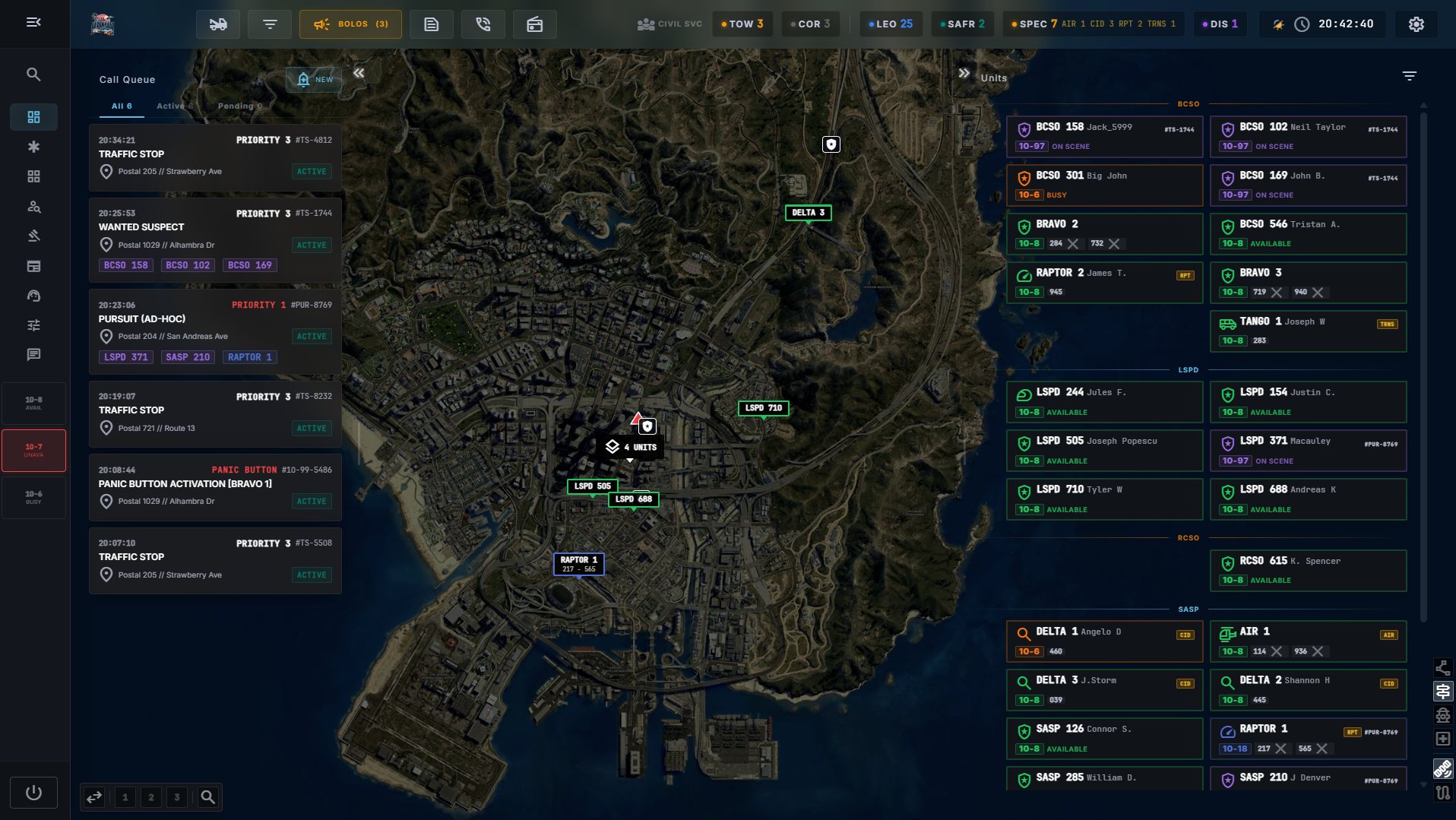
The dispatch console
A dispatcher sees every active call, every unit and the live map on one configurable screen. It is the seat everybody on your server wants.
The dispatch consoleQueue, units, map and radio together on one screen.
Issue a BOLOStraight from the console, over the live map.Every incident, one boardPending, active and closed calls, searchable.
list_alt
Live call queue
At-a-glance priority, status tabs (active / pending / all) and instant counts. Create a call straight from the queue header.
groups
Unit overview
Every unit's callsign, current status and assignment, colour-coded with status codes you define yourself.
call_split
Cross-selection
Click a call to instantly highlight the units assigned to it — and the reverse — with connecting lines drawn on the map.
drag_pan
Drag-and-drop assignment
Drop a unit onto a call to assign it. The unit gets routed and every screen follows.
dashboard_customize
Fully adjustable layout
Resize, reorder and swap panels, then save your favourite arrangements as presets. Nothing resets on refresh.
search
Global search
One box finds any person, vehicle, incident, warrant or BOLO and opens it in a floating panel you can pin, move and keep open while you work.
open_in_new
Pop the radio out
On a multi-monitor setup, move the radio panel to a second screen — and hand it back whenever you like.
format_list_bulleted
Jurisdiction filters
Split the workload across several dispatchers by filtering the call queue and unit panel to your own area or department.
toggle_on
Server controls on duty
A dispatcher can switch the witness system, civilian 311 intake and live 911/311 routing on or off, live, without touching admin settings.
The payoff: one dispatcher can keep total situational awareness over a busy server without losing track of who is where.
Live map & GPS
A live, interactive map of the world built into dispatch and every responder terminal — and wired straight into the mini-map in-game.
In-game GPS routingThe route and the nearest postal, drawn on the mini-map.
my_location
Real-time unit positions
Drawn and colour-coded by status, updating the moment a unit moves on the FiveM server. No polling, no refresh.
pin_drop
Call markers with connecting lines
Every call gets a marker, with lines drawn to the units assigned to it.
route
Automatic in-game routing
Assign a unit and a GPS route draws straight to the scene on their in-game mini-map — for every crew member — then clears on arrival or detach.
markunread_mailbox
Postal-code aware
Locations resolve to the nearest postal so everyone on the radio says the same thing about where. Upload your own postal list to replace the built-in set everywhere at once.
layers
Map styles & fly-to
Satellite or roadmap, and a smooth fly-to focus on any call or unit with a double-click.
public
Your map
Switch on extra areas — Roxwood County ships ready to go, in satellite and roadmap — and custom territory appears on every CAD surface.
edit_road
Road status
Closures, roadworks, accidents and hazards drawn along the road and coloured by how serious they are — in the CAD and on the in-game minimap.
signpost
Highway signs on the map
See the matrix signs and lane signals along the highway on the live map. Requires the third-party FS-HighwaySigns resource on your server.
Calls, 911 & 311
From the first ring to case closed — including the calls that come in by voice, from inside the game.
Creating a callPriority, type, location and reporting party in one form.
add_call
Flexible call intake
Title, priority, type, location, weapons-involved and reporting-party details, all on one screen.
emergency_share
In-game 911 by voice
A citizen reaches dispatch by voice with push-to-talk both ways. When no dispatcher is online, the caller files the report themselves through an in-game form — and it still lands in the queue.
support_agent
311 for non-emergencies
A separate, lower-priority line so the 911 queue stays clean.
person_pin
Caller context
The dispatcher sees who is calling and from where, and can turn a live call into a logged incident with one click while still on the line.
history
Automatic activity log
Every change to a call writes itself to that call's own timeline — status, priority, assignments, re-typing — alongside the notes units add by hand. Nobody has to remember who changed what.
category
Incident type catalogue
Load a ready-made catalogue of call types, each routed to the right service and drawn with its own map icon — or build your own list.
manage_search
Search every call ever made
One search bar on every incident screen reaches open and closed calls, not just what's currently loaded.
contact_support
Inquiries
Ask the public about an incident. Civilians answer anonymously from their portal, and the answers come in live on the call.
Pursuits
Turn a chase into coordinated roleplay instead of eleven people shouting street names over each other.
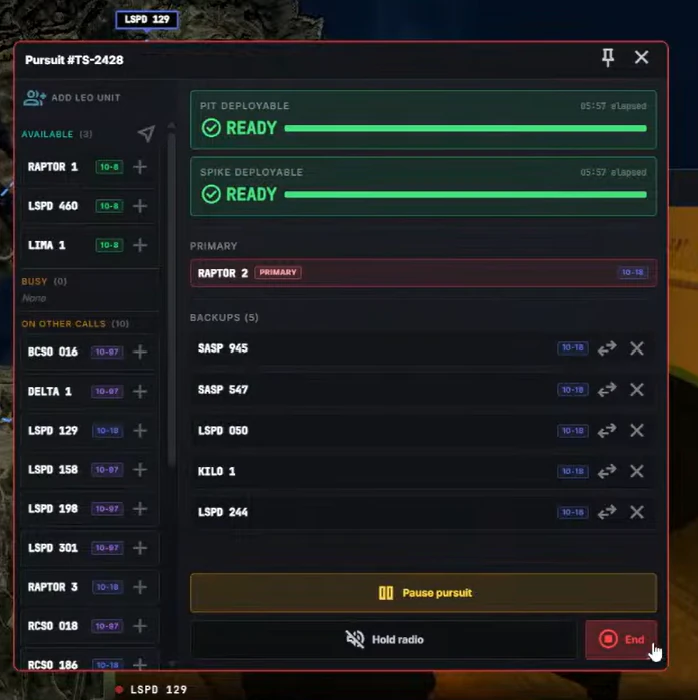
A pursuit in progressBackup units routed straight to the primary.
play_circle
Start with one click
Open a pursuit from any active call and name a primary unit.
alt_route
Backups get a live route
Every unit that joins gets a route to the primary on their in-game mini-map, redrawn every second as the chase moves.
swap_horiz
Switch primary mid-chase
One click, and every backup re-routes automatically.
timer
PIT & spike timers
Plus a "hold radio traffic" tone that keeps the channel disciplined while it matters.
Panic alarms (10-99)
Officer safety, built in — and impossible to hit by accident.
image
Screenshot slot
assets/media/features-panic.jpg
A panic button in use — the red banner and the priority alert on dispatch.
10-99 panic alarmThe alert hits every screen at once.
touch_app
Hold to trigger
In every responder's toolbar, held rather than tapped, so a stray click never sends the whole server running.
notification_important
Instant community-wide alert
Every on-duty unit gets a red banner. Dispatch gets a priority alert with sound.
near_me
One-tap reroute
Nearby units respond immediately, and a panic incident is added to the queue automatically.
Police MDT
A dedicated mobile data terminal for officers — from the moment you go on duty to the moment you clear.
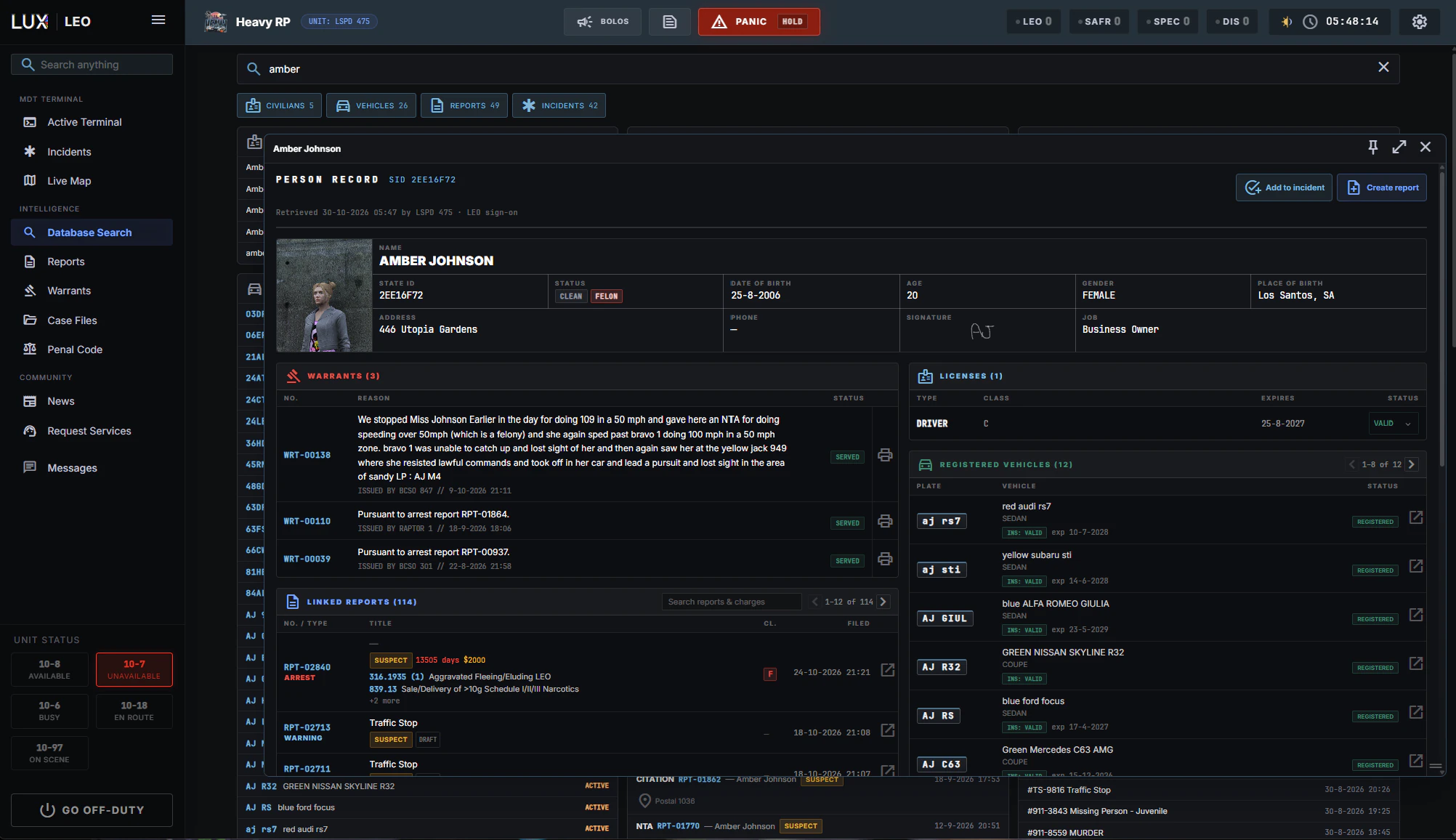
LEO database searchVehicles, warrants, citations and reports in one view.
how_to_reg
Go on duty
Pick a callsign, your department or agency and a special unit type. Your status and a 10-99 panic button stay one click away.
edit_note
Create and manage calls in the field
Self-initiate activity, attach yourself to incidents, manage your active call and detach when you're clear.
fact_check
Rich incident detail
Suspects, vehicles, linked incidents, weapons-involved flags, callback numbers and reporting party — all in one place.
bolt
Instant suspect context
Pull a person's reports, licenses and vehicles in a single click while you're still working the scene.
warning
BOLO straight from an incident
Pre-filled with the vehicle and location, reaching every officer and every in-game plate scanner immediately.
description
My Reports
Drafts and completed reports scoped to you, so unfinished paperwork is one click away instead of lost in a community-wide list.
diversity_3
Live fleet overview
See who's on duty across every agency before you ask for backup over the air.
SAFR terminal
Built for the ones who run toward it. Every tool you need on scene, and nothing in the way.
The SAFR terminalFire and EMS work their calls from their own screen.
fire_truck
Station Mode
Sign on at your station instead of typing a callsign. Join a truck in quarters or deploy a new one, and the apparatus becomes the callsign. Dispatch tones out ENGINE 3, and whoever is free on its crew rolls.
campaign
Station tone-outs
A call reaches the station as a spoken alert, so the crew in quarters knows which truck goes and where before anyone reads a screen.
monitor_heart
Patient lookup
Blood type, allergies, conditions and code status (DNR / organ donor) on scene — filled in by the civilian themselves, no staff data entry.
inventory_2
Unit inventory
Track equipment and supplies with low-stock warnings and restock logging — per apparatus in Station Mode, or as one shared stock for the community.
local_hospital
Hospital status board
See which hospitals are accepting, limited or on divert — and route to one with a single click.
water_drop
Hydrants on the map
A hydrant layer on the live map, centred on your own position, for planning the scene before you arrive.
menu_book
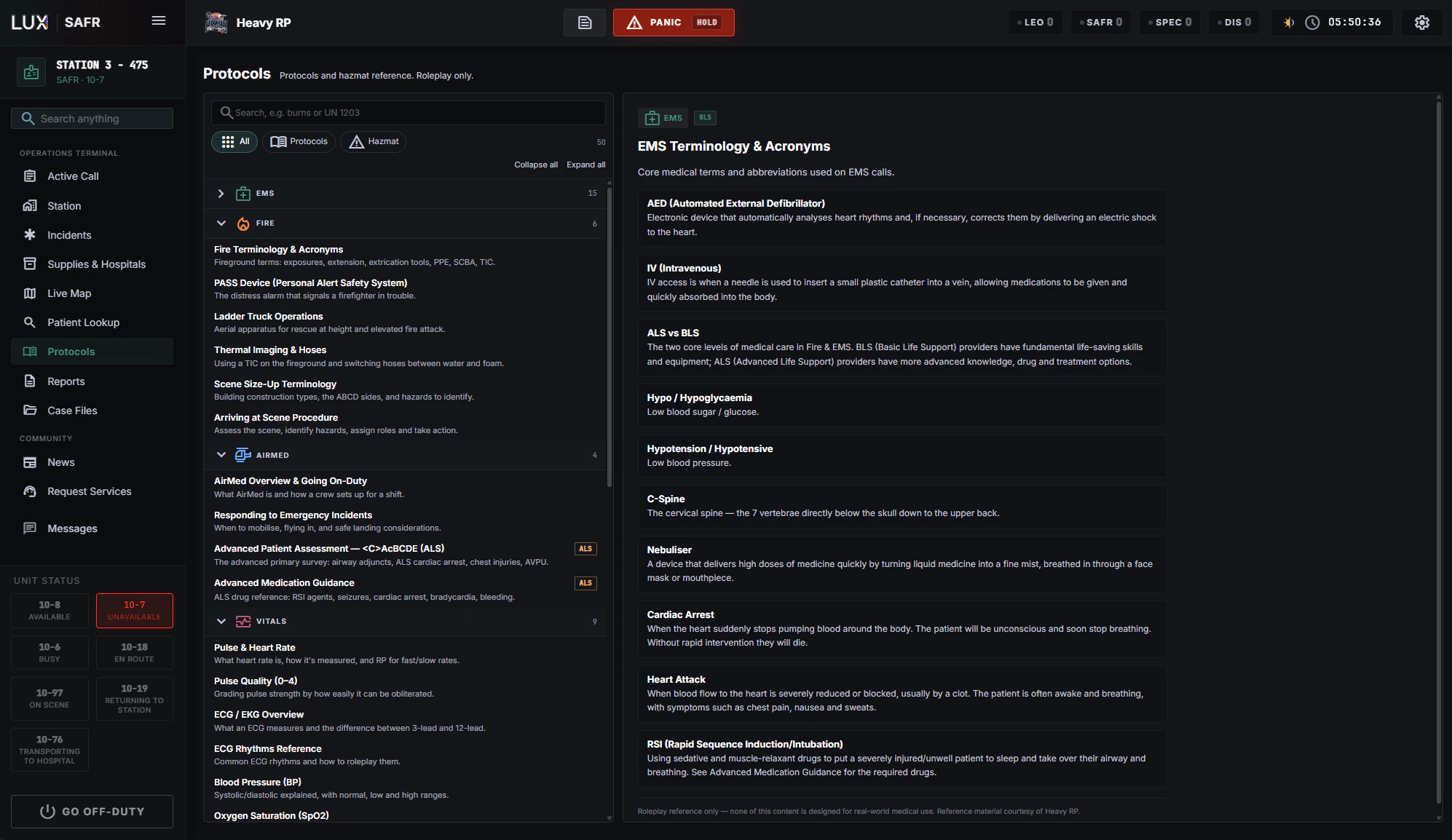
Protocols & hazmat
One searchable library of fire and medical procedures and UN-number hazmat references, so a crew can look something up mid-scene instead of guessing.
ALPR & plate scanning
Every plate that passes gets read, checked, and flagged before you've finished the turn.
Plate reader, in-gameA patrol car at night with the ALPR running.
radar
Passive in-game scanning
Plates around a patrol vehicle are checked continuously against BOLOs, stolen-vehicle flags and owner warrants.
pin
Manual plate lookup
For the plate in front of you, right now.
notifications_active
Hits alert the officer
An on-screen card and an alarm tone — and the hit is recorded so dispatch sees it too.
tune
Per-event control
Every officer decides which hit types pop a card and which ones make a sound.
cable
Fed straight from the CAD
Flag a vehicle or file a BOLO with a plate and scanners pick it up immediately. Cancel it and it drops out just as fast.
camera_alt
Works with Wolfknight ALPR
Out-of-the-box integration with Wolfknight's popular ALPR script — scan a plate and the CAD hit lands straight on your screen.
Traffic stops
A clean, immersive in-game traffic-stop flow that dispatch can see the second it starts.
Starting a traffic stopPick the vehicle from the cars nearest you.
directions_car
Pick from the cars around you
An officer starts a stop in-game and selects the vehicle from the nearest cars, with no plate typing.
bolt
A live incident, instantly
Created and linked to the officer, filled with the vehicle, location and postal — and it flashes in the dispatch queue so everyone sees it.
Automated witness reports
Someone sees it. Now dispatch hears about it too.
visibility
Bystanders notice events
Explosions, gunfire, shootings and fires get anonymously tipped to the authorities, generating live incidents in the CAD.
tune
Tunable realism
Each community decides which events are reported, how likely a tip is, and how time of day and location affect the odds.
balance
Smart, fair targeting
Reports route to the right service — police, SAFR, dispatch, even a civilian business.
toggle_off
Off by default, fully opt-in
Owners turn it on when they want that ambient pressure, and a dispatcher on duty can flip it live.
The payoff: a living, reactive city where crime draws a response on its own.
Bodycam feeds
Live responder camera feeds, straight into the dispatch console.
The bodycam video wallSeveral live feeds side by side for dispatch.
grid_view
A video wall for dispatch
Watch on-duty units' cameras side by side, and click a unit to bring its feed to the front.
open_in_new
Pop a feed out
Into its own floating panel, at full quality.
map
Camera previews on the map
So a feed always has a location attached to it.
eco
Only what's on screen is streamed
A player's camera costs nothing while nobody is watching it.
In-game CAD tablet
The full CAD, inside the game.
The in-game tabletAn officer on the warrant registry, without leaving the game.
tablet_android
One command or keybind
Open the exact same CAD on an in-game tablet with /cad or the Open CAD keybind, without leaving the world. Don't open LUX in an in-game browser: it won't work properly and will cause performance issues.
login
Seamless sign-in
No separate login — you're dropped straight into your community.
bookmark
Remembers where you left off
Within a session, reopening the tablet returns you to the right screen.
fit_screen
Scales to any screen
The whole interface reflows from a small in-game tablet to a 4K second monitor, portrait or landscape, with no separate mobile build.
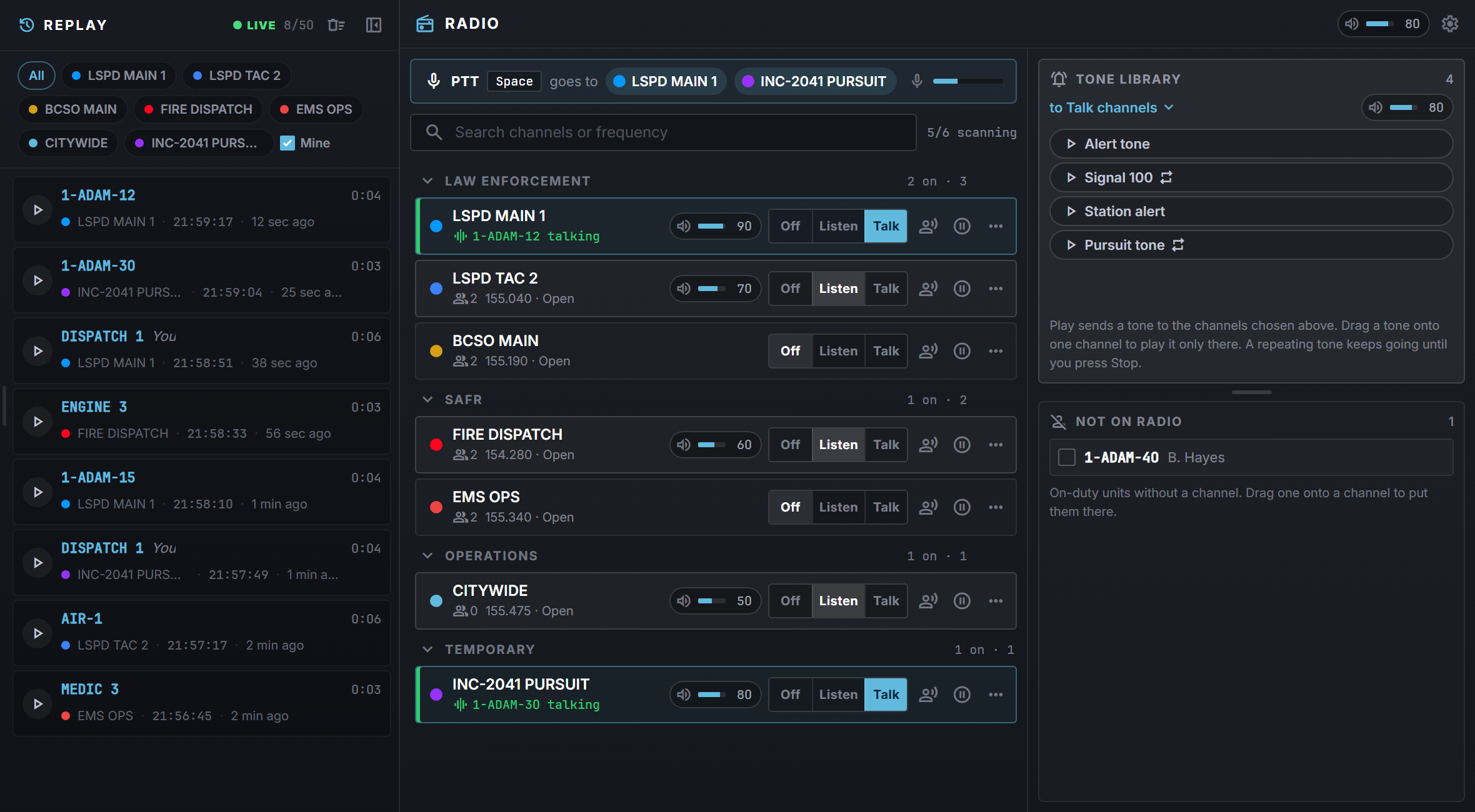
LUX Radio
A professional voice-radio layer that ties the whole operation together — no third-party voice stack.
The radio panelChannels open and a unit keyed up.
devices
Browser and in-game
Dispatchers run it on screen; officers and SAFR crews use it inside the game. Same channels, same live state.
lan
Channels you control
Department or open channels with their own colours and access rules, and a simple board for organising units across them.
mic
Push-to-talk & scanner mode
A rebindable key, plus scanner mode so dispatch can monitor several channels at once.
record_voice_over
See who's talking
The speaking unit lights up across the dispatch screens and on the call they're assigned to, so radio traffic always has context.
volume_up
Per-channel and per-person volume
And mute, so a busy dispatcher hears exactly what they need and nothing else.
campaign
Radio tones
Upload your own dispatch tones and play them to channels, one-shot or on repeat.
graphic_eq
Authentic radio sound
Optional voice effects and push-to-talk beeps give it the feel of real comms.
store
Civilian-service channels
When a business goes on duty, it gets its own shared channel automatically.
replay
Radio replay
The last 50 transmissions on your channels stay one click away, so nobody has to say it twice.
Phone system & directory
Real phone calls between the people in your world — no separate phone interface to learn.
dialpad
A number per character
Either generated by LUX or synced from the phone resource your server already runs.
contacts
Phone directory
A yellow pages: staff and civilians look up a number and call straight from the CAD. Characters can hide their own number.
call
Voice calls on the same stack as 911
An incoming call arrives as an in-game ring you accept or decline, with push-to-talk while you talk.
headset_mic
Dispatchers can call a player directly
Straight from the directory, without leaving the console.
extension
Works with your existing phone
Run LUX's own phone system, or point it at LB Phone or NPWD and let that system own the numbers while LUX handles 911/311 dial-in.
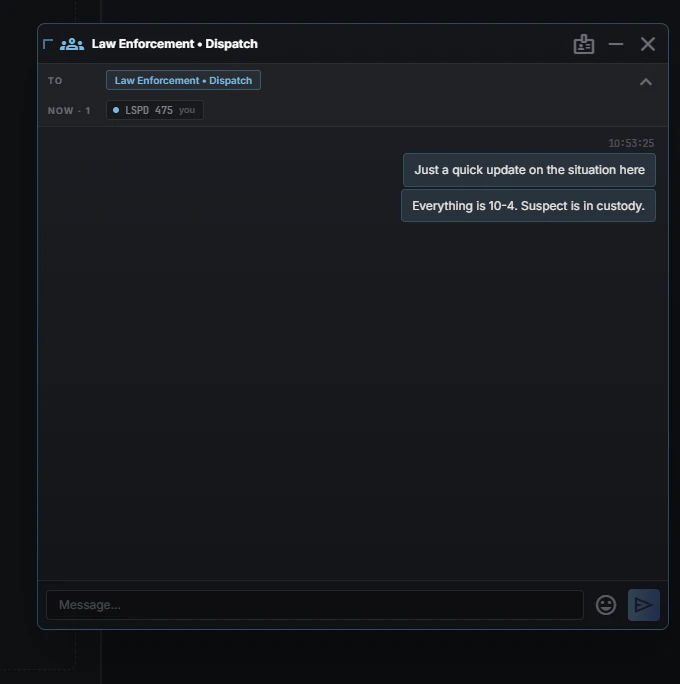
Direct messaging
Text comms for when the radio is busy — or being held for a pursuit.
Direct messagesUnits talking one-to-one or in groups inside the MDT.
chat
Unit-to-unit chat
A fallback whenever the radio is held during an incident.
alt_route
Four conversation types, one flow
Message all active units, a whole department, a chosen group, or one unit one-on-one.
group_work
Unit-oriented
A multi-crew unit receives and replies together under its callsign.
notifications
On screen and in-game
With notifications that reach you on duty even when the in-game tablet is closed.
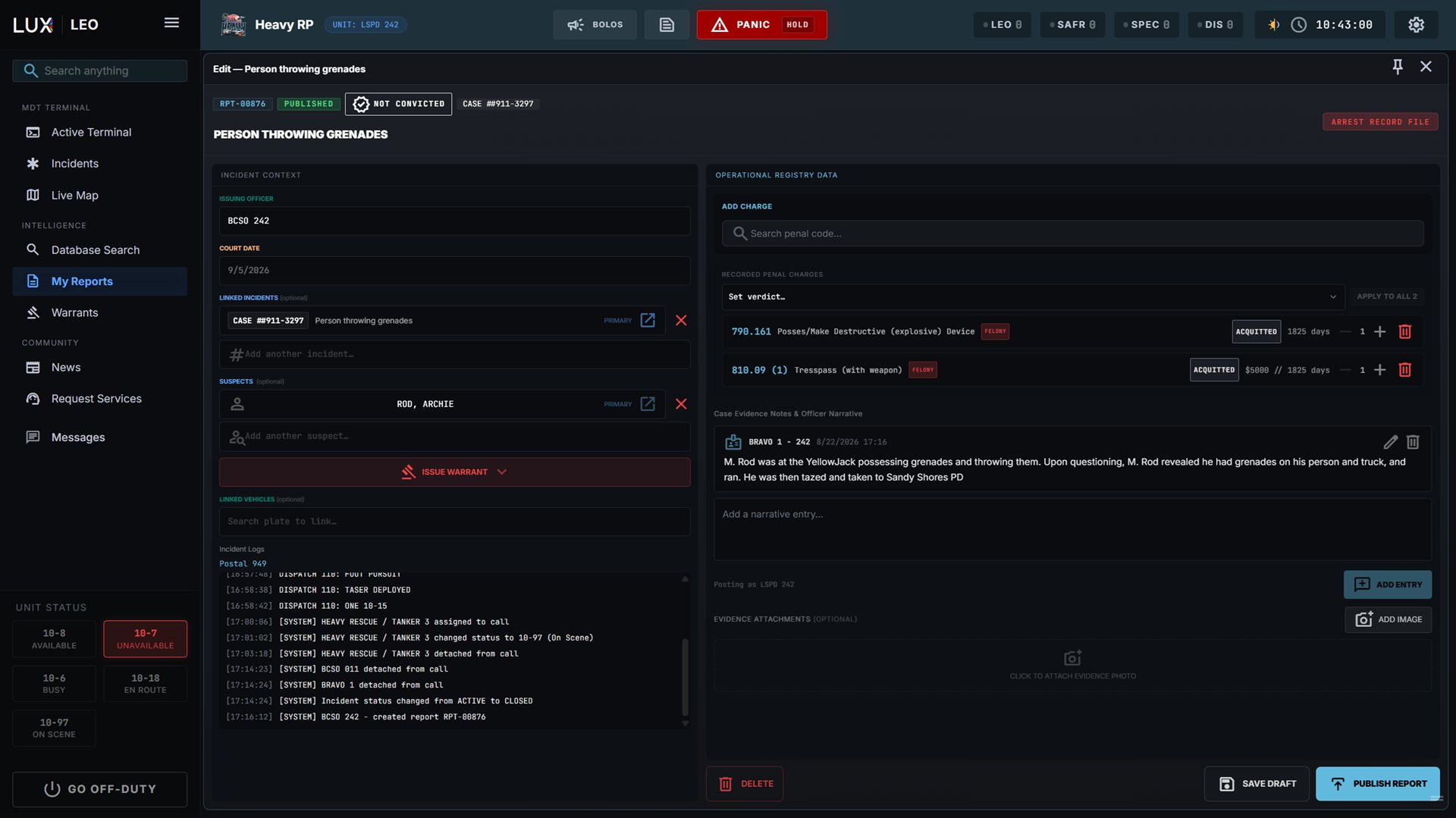
Records, reports & warrants
One living database for your community. Officers write it, citizens can read their side of it.
Writing an arrest reportPenal charges attached as you write.
person_search
People, vehicles & licenses
Look up any citizen, their registered vehicles, licenses and outstanding warrants in seconds.
folder_shared
Full dossiers
Open a person's complete record, including warrant history and flagged incidents.
edit_document
Report writing
Draft / publish workflow, evidence-photo uploads and charges from your own penal code.
gavel
Warrant register
Issue, serve and recall warrants community-wide; a person's status updates automatically as warrants change.
menu_book
Configurable penal code
Load a standard pack of 140+ offences or import your own, with fines, jail terms and classifications.
description
Judicial file per citizen
Arrest reports, citations, written warnings, investigations and warrants land in the citizen's own file, presented as real paper documents stacked by month. A player can read exactly what was filed against them.
folder_open
Case files
Hold an investigation together across calls: the reports, the people named in them, evidence photos and a running narrative. For LEO and SAFR.
description
Report types per department
Decide per department which reports it may read or write, from arrests and citations to patient care reports — with injury charts and traffic sketches where the report needs them.
Civilian portal
Where the citizens of your world live. The protagonist, not the paperwork on an officer's desk.
Editing a characterThe State ID card updates live as you type.
group
Multiple characters per player
Each with their own identity, vehicles, licenses and medical profile. Create, edit, archive and mark deceased, with avatar uploads.
directions_car
Vehicle registration
Including insurance details, with a one-click "register the car I'm sitting in" both in the browser and in-game.
card_membership
Licenses players manage themselves
A deliberate roleplay choice: the paperwork belongs to the person it describes.
monitor_heart
Medical ID
Blood type, allergies, conditions, organ-donor and DNR status that EMS can read on scene.
badge
State-ID-driven character creation
Filling in your character is filling in the official ID card, with a live preview of the document as you type.
photo_camera
In-game passport photo
Take your character's photo in-game — they even pose for it — or upload one yourself.
report
Report an incident as a civilian
Straight into the CAD, whether or not a dispatcher is online.
shield_lock
Anti-doxxing by design
Character fields deliberately refuse browser autofill, so a streamer filling in a fictional identity never leaks their real one on stream.
Documents & ID
Licences, registrations, and permits your character actually carries.
State ID during a stopA civilian's ID on the officer's screen, in-game.
wallet
A document wallet per character
State ID, medical ID and every licence, drawn as real, styled cards rather than a list of rows.
content_copy
Forged papers
A character can add a fake document alongside the genuine ones, pre-filled from their real details. Only the owner sees it is fake.
present_to_all
Show your papers in-game
Present a document to a nearby officer with a command, and it appears on their screen exactly as it looks in the wallet.
verified
Officers check against the CAD
An ID is a claim, not a verification. The officer looks the person up in the CAD — so a forgery can be caught, or missed, as roleplay rather than as a game mechanic.
palette
Owner-designed templates
Communities restyle the documents their state issues. Every card renders US or EU dates, per device.
Civilian services
Civilian businesses your community builds itself, from a few ready-made templates or from scratch.
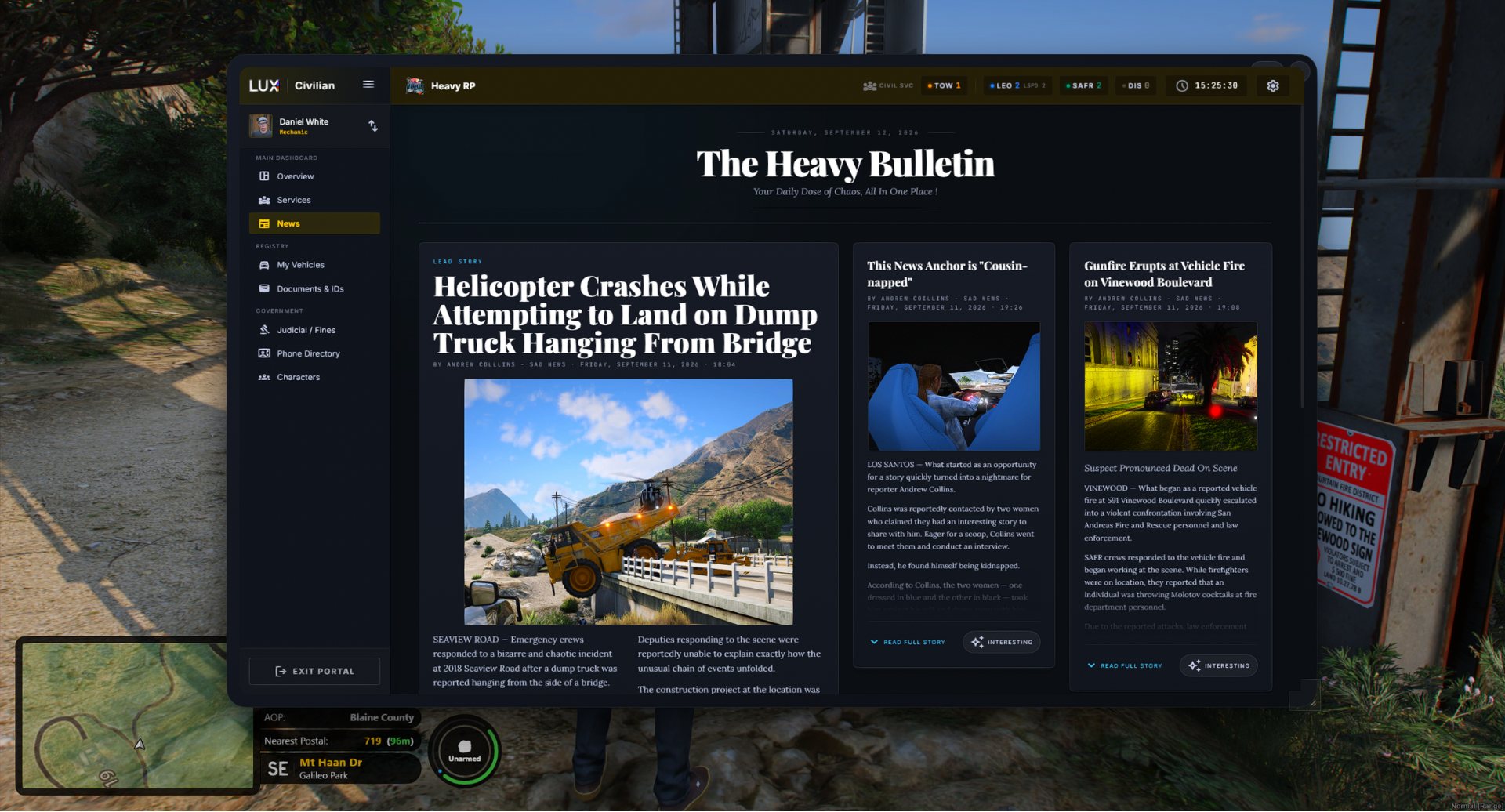
The community newspaperRead on the in-game tablet.
store
On-duty presence
Tow, taxi, mechanic, lawyer, news — and your own custom services — clock on and become visible to those who need them.
list_alt
Live request board
Citizens see which services are online and request help; the request goes to every on-duty provider, and the first to accept claims the job.
map
Job workflow on a map
Providers pin pickup and destination locations and work jobs accept → in progress → complete.
support_agent
Staff can request services too
Straight from their own terminals, mid-scene.
car_repair
Tow & impound
A connected impound flow with an impound lot and owner self-release.
balance
Lawyers
Consent-based, privacy-scoped access to a client's legal file.
newspaper
Community newspaper
News agents publish a live, public paper under a chosen byline; readers mark stories "interesting", which keeps the best ones in print longer. Identity stays private.
shield_lock
Privacy by design
The real identities behind a service are never exposed publicly.
widgets
Build your own services
Admins assemble custom services from modular building blocks, each with a workflow tailored to it — no coding required.
For community owners
Everything needed to run LUX CAD as your own — and none of it requires opening a config file.
Configuring civilian servicesAll set up from the admin dashboard.
auto_fix_high
Request access in Discord
Ask for LUX in our Discord and our team sets up your community. We grant access by hand, so every new community gets a proper start.
hub
Role mapping
Map your existing Discord roles to CAD departments, so access follows the roles you already use. Lose the role, lose access — nothing to revoke by hand.
vpn_key
Your key and CAD package
Request LUX in Discord, and once your network is open you download a single ready-to-install package for your game server from the admin dashboard, with your key already built in. The FiveM resources are free and never something you pay for.
science
A development environment, included
Every network comes with a development environment beside the live one, on the same Discord server — try a new penal code, department or map without your community watching.
tune
Deep configuration
Status codes, incident types, penal code, hospitals, pursuit timers, radio channels, dispatch tones, alert sounds, document templates and civilian-service settings — all yours to tune, live.
markunread_mailbox
Your own postal codes
Upload your community's postal list and it replaces the built-in set everywhere at once: map labels, call intake, GPS routes, panic, pursuits, traffic stops and the in-game screens.
account_tree
Custom agencies and special units
Build the departments, sub-departments and unit types your server actually has.
admin_panel_settings
Delegated admins
Hand admin rights to trusted staff through a Discord role instead of sharing the owner account.
api
Developer API
A documented REST API on your own community key at api.lux-cad.com, rate-limited per community, so your scripts and integrations can read live CAD data.
help_center
Help centre
A written handbook for every role — dispatch, LEO, SAFR, the civilian portal and every admin setting — right here on the site.
lock
Fully isolated
Your data, staff and settings are entirely your own. One community can never read another's.
move_down
Moving from another CAD
Already running a different CAD? We support bringing your existing community data over to LUX.
Polish & quality of life
The small things that make it feel like one product instead of many.
Stream Deck pluginStatus, radio and panic keys on an Elgato deck.
group_work
Grouped units
Two or more responders ride as one unit under a shared callsign, with status, assignments and map markers staying in sync — and can split back out at any time.
settings
Personal settings
Per-sound mute and volume, which ALPR alerts you want, your date format. Saved per device and mirrored in-game.
stream
Stream Deck plugin
Set your status, work the radio and trigger panic from an Elgato deck, with keys that follow your live status and deck-wide animations for pursuits, BOLOs and new calls.
theater_comedy
Automatic emotes
Your character actually picks up a tablet, holds a radio, takes a call and poses for their ID photo, driven by what you're doing in the CAD.
graphic_eq
Community sounds
Owners upload their own dispatch tones and alert sounds, used throughout.
schedule
Synchronised clock
Every screen shows the same server time in your community's timezone.
how_to_reg
One duty session
You can only be on duty as one unit at a time, enforced by the system, so the unit list never drifts out of sync with reality.
menu_bookPDF
Quick user guide
Civilian setup, from microphone to first radio call.
Eleven short steps to get a new player ready: the Windows mic, signing in, keybinds, your first character, phone number, vehicle, documents, going on duty with a service and the radio. Hand it to new members before their first session.
PDF · 11 steps · about 15 minutes · Full detail lives in the online handbook